Availability
RF devices announce their availability only by transmitting, so the integration
uses a silence-based availability model. If no event for a device arrives within
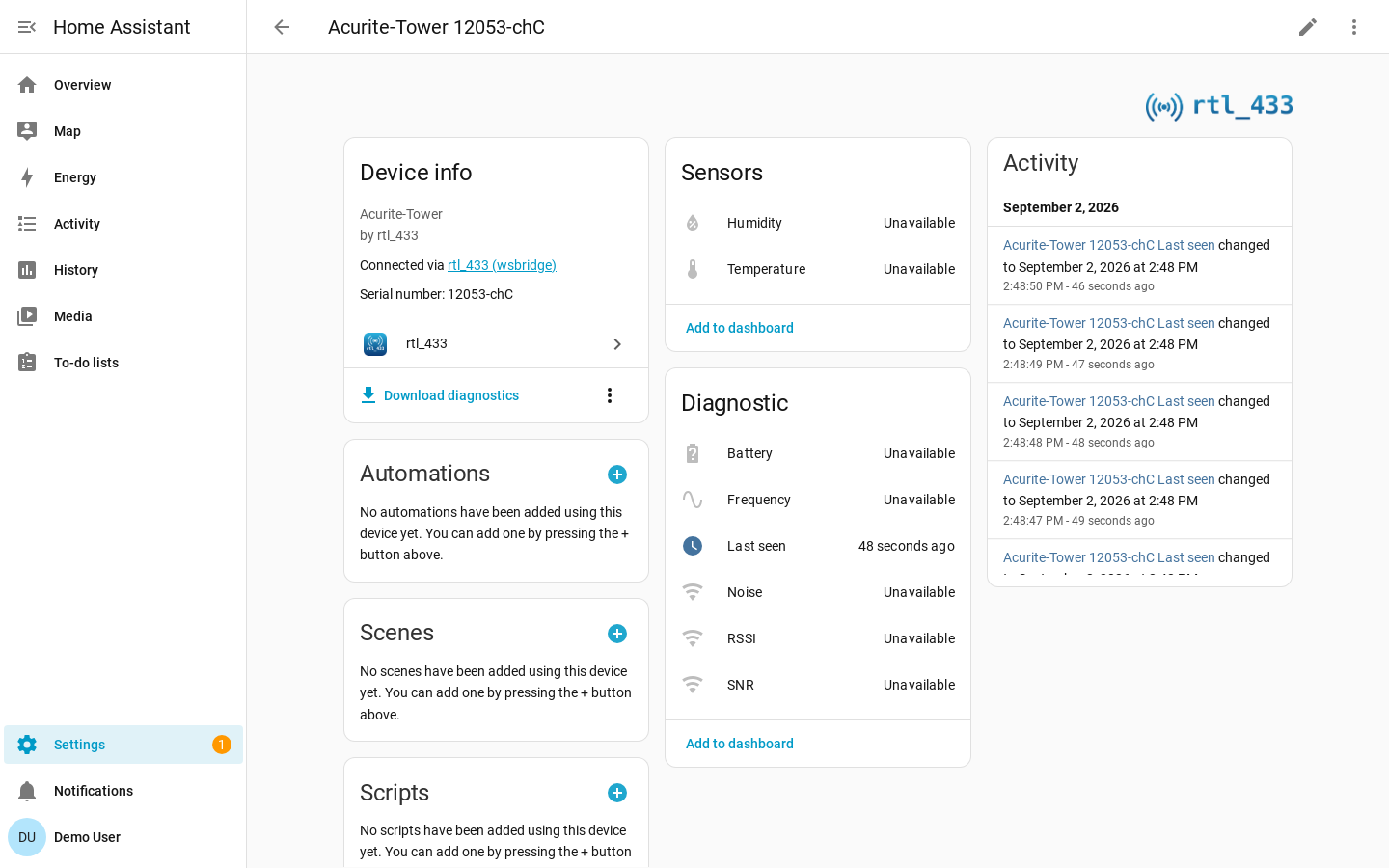
its availability timeout, its entities become unavailable.
Transmission Patterns
How long a device can reasonably stay silent depends on the device type.
| Device type | Typical behavior |
|---|---|
| Periodic weather, temperature, soil, and air-quality sensors | Transmit at regular intervals. |
| Door/window contacts, motion/PIR, buttons, doorbells, and security sensors | Transmit on events, sometimes with an occasional heartbeat. |
| Generic EV1527 door/PIR devices and parked TPMS sensors | May have no heartbeat and stay silent for days. |
Periodic devices use finite timeouts. Event-driven devices default to never expiring because a long silence is normal and does not imply failure.
Receiver Connection
When the connection to the rtl_433 server drops, every device on that hub
immediately becomes unavailable. This includes event-driven devices and
Last seen sensors, regardless of their timeout settings. While disconnected,
the integration cannot tell whether a device is still transmitting.
When the connection returns, devices show their last received values and the usual silence timeouts resume.
If you want an automation to tolerate short blips, condition it on the receiver's
Connectivity binary sensor with a for: delay rather than reacting to each
device going unavailable.
The rtl_433 server unreachable repair notification waits 90 seconds, so a routine server restart does not produce a notification.
For event entities (buttons, doorbells, remotes), use the event.received
trigger. It ignores transitions out of unavailable, so reconnecting does not
trigger an automation for an old press.
The receiver's SDR controls (Gain, Sample rate, Frequency correction,
Hop interval, Conversion mode) stay available so you can change settings
while disconnected. With Manage SDR settings on, these appear as
number/select entities. Turning it off replaces them with read-only diagnostic
sensors, which become unavailable on disconnect along with the receiver's other
diagnostic sensors.
The Connectivity binary sensor is the entity that reports the outage: it reads the socket state directly and stays available throughout. The Home Assistant log records the drop and the reconnect:
INFO  rtl_433 lost the connection to ws://rtl433.local:8433/ws; reconnecting, and marking all 12 device(s) ...
INFO  rtl_433 reconnected to ws://rtl433.local:8433/ws after 184s
Timeout Sources
The effective availability timeout is resolved in this order:
- Per-device override from Device settings.
- Receiver default from Receiver settings, if set.
- Device-class default.
- 600 second fallback.
Set a timeout to 0 to make a device never expire. This is already the automatic
default for event-driven devices.
Receiver settings offers Per-device-type defaults, Never expire, or a fixed timeout. Choosing a fixed timeout of 600 seconds applies that receiver default at step 2, including to event-driven devices. The 600-second fallback at step 4 applies only when no earlier rule supplies a timeout.
Restart Behavior
On Home Assistant restart, the last known states are restored first. The timeout then runs from the restart time, and entities become unavailable if no new event arrives within the timeout.
Last Seen Sensor
Every device gets a diagnostic timestamp sensor named Last seen. It reports when the device was last heard from and restores its previous value across restarts.
Last seen is enabled by default for event-driven devices because they never expire and the timestamp is their freshness signal. It is disabled by default for periodic devices, whose availability already conveys freshness.
Unlike measurement sensors, Last seen stays available after the device falls silent, so it can drive staleness automations. It does go unavailable while the receiver connection is down, because the timestamp then only records when the integration stopped listening.